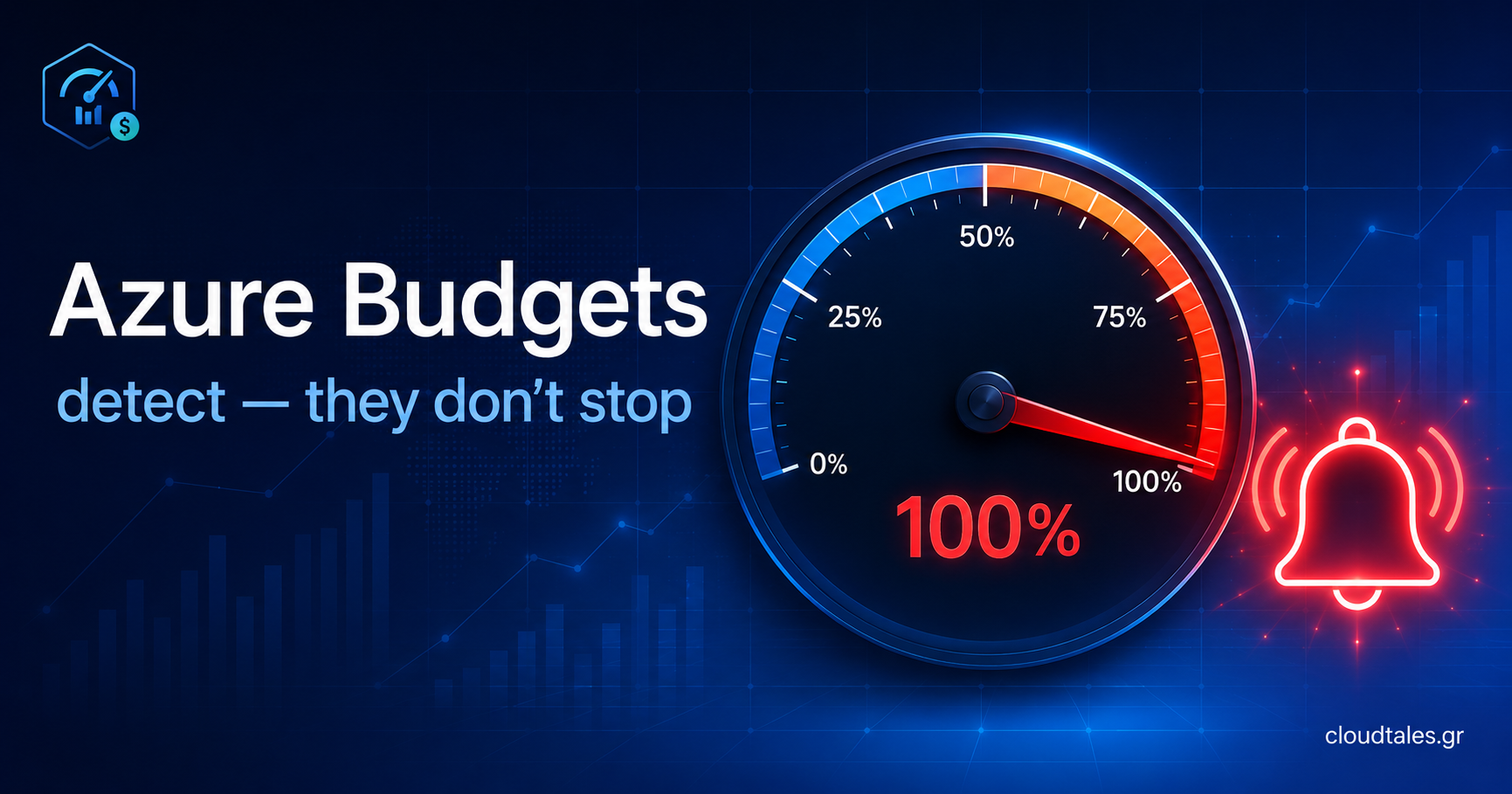

Most teams treat an Azure budget as a brake. They pick a number, assume the platform will slow spending down once costs reach it, and move on. That assumption fails the first weekend someone leaves a GPU virtual machine running and nobody notices until the invoice lands. Azure budget alerts tell you the building is on fire. They do not pick up a hose.
This distinction matters more than it sounds, because it changes where you spend your design effort. If you believe a budget enforces a cap, you stop thinking once you create it. If you understand that a budget only detects, you start designing the layer that actually responds. This article walks through what an Azure budget really controls, why the default behaviour catches people out, and how to close the gap between detection and enforcement in a way that survives a production review.
The false sense of security
Here is the anti-pattern I see most often: a team sets a monthly budget of, say, $5,000 on a subscription, adds a single alert at 100%, and considers cost governance done. The mental model is that Azure will stop resources when spending hits the limit. It will not. A budget never stops a virtual machine, never throttles a database, and never blocks a deployment. It raises a notification and nothing more.
Worse, the one alert they chose fires too late to help. By the time an actual 100% alert reaches your inbox, you have already spent the full amount. The damage is booked. The team that feels most protected is often the one running with the thinnest safety net, because the budget gave them permission to stop paying attention.
What an Azure budget actually does
Strip away the assumptions and a budget is a detection control inside Microsoft Cost Management. You give it three things: a scope, a period, and an amount. Azure then watches accumulated cost against that amount and evaluates alert thresholds on a schedule. The evaluation is not real time, and this matters more than most write-ups admit. Cost and usage data typically lands within 8 to 24 hours, budgets evaluate against that delayed data every 24 hours, and on a pay-as-you-go subscription the data itself can take up to 72 hours to surface. So a runaway workload can keep burning money for a day or more before the alert ever reaches you.
Scope is the first real decision, and most tutorials gloss over it. You can attach a budget at subscription, resource group, or management group level. A subscription budget is the obvious starting point, but it is rarely the right enterprise answer. If you run a landing zone with dozens of subscriptions under a management group hierarchy, a management group budget gives you a single rollup that does not break every time someone vends a new subscription. Treat that rollup as a monitoring scope, though, not an enforcement one, for reasons I get to below. Resource group budgets are the precision instrument: use them to ring-fence a known cost offender, such as a resource group hosting an Azure OpenAI deployment or a data platform.
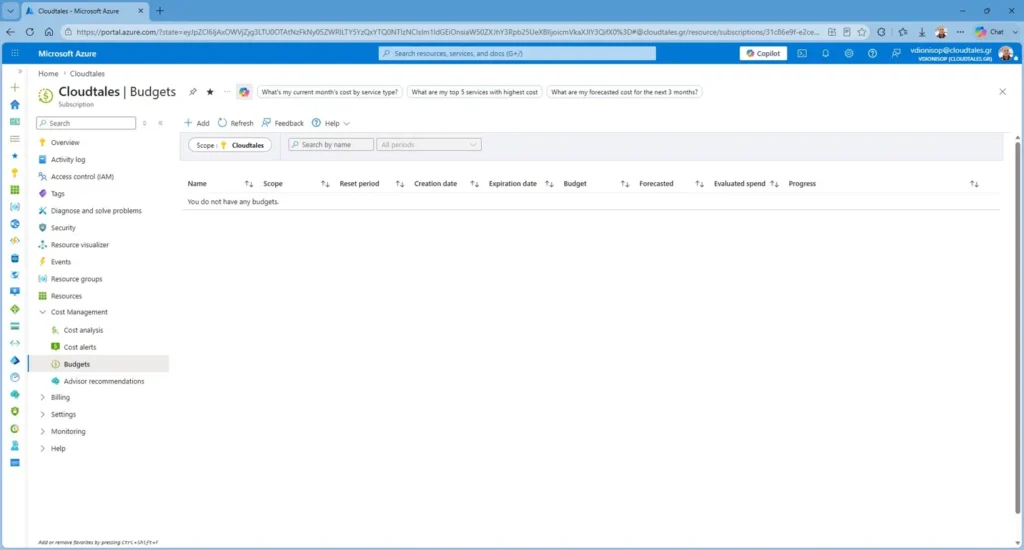
The scope screen also exposes filters: by resource group, by product, by publisher, by reservation, and by tag. If your tagging discipline is solid, a tag filter lets you budget by cost centre or project across resource groups without restructuring anything. This is where a clean tag taxonomy quietly pays for itself.
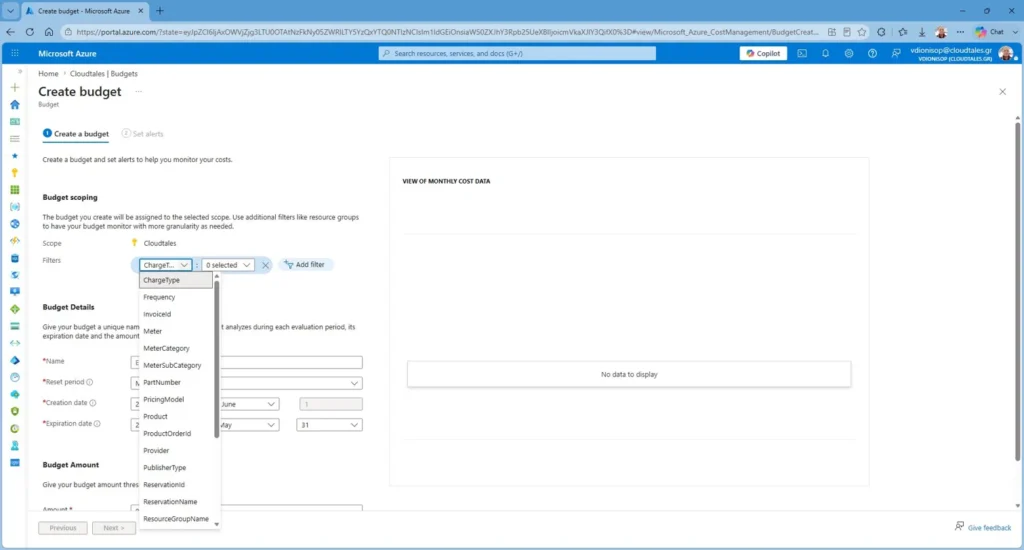
After scope, you set the reset period (monthly, quarterly, or annual), an amount in your billing currency, and an expiry date. The defaults push the expiry a couple of years out, which is fine for a long-lived production guardrail and wrong for a short-lived project budget you will forget to clean up. Decide deliberately.
Actual vs forecasted Azure budget alerts
This is the single most important design choice on the whole feature, and the default tutorials treat it as a checkbox. Azure budget alerts come in two flavours, andThis is the single most important design choice on the whole feature, and the default tutorials treat it as a checkbox. Azure budget alerts come in two flavours, and you want both.
- Actual alerts fire when cumulative spend reaches a percentage of the budget. An actual alert at 80% of a $5,000 budget fires once you have already spent $4,000. Useful, but reactive.
- Forecasted alerts fire when Azure’s spending model predicts you will exceed a threshold by the end of the period, based on your run rate so far. If it is day 10 and you are tracking toward $6,000, a forecasted 100% alert warns you while you still have three weeks to act.
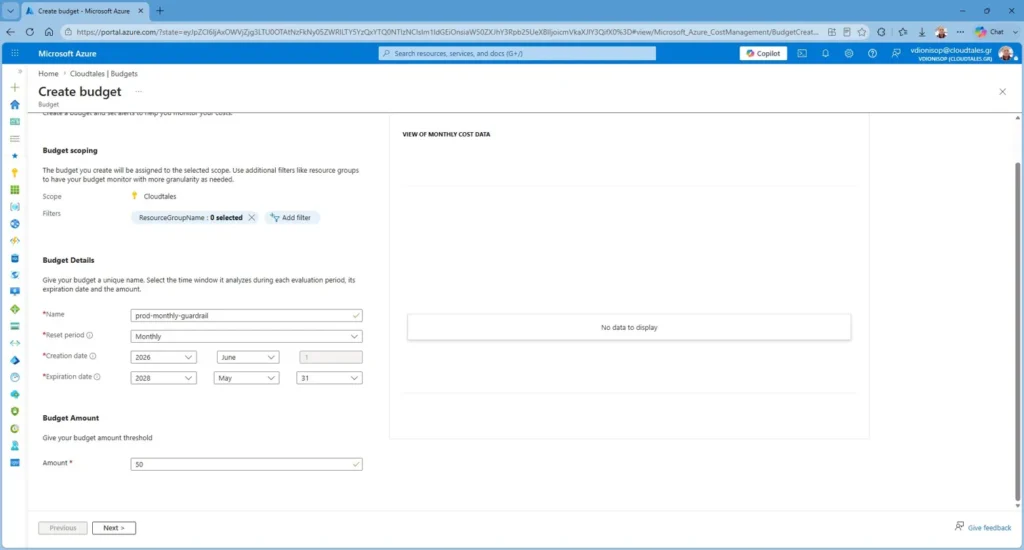
My standard layout for a production subscription is a forecasted alert at 80%, an actual alert at 80%, and an actual alert at 100%. The forecasted alert is your early warning. The actual alerts confirm the trend and mark the breach. Relying on a single actual 100% alert, which is what most teams default to, gives you a smoke detector that only goes off after the house has burned down.
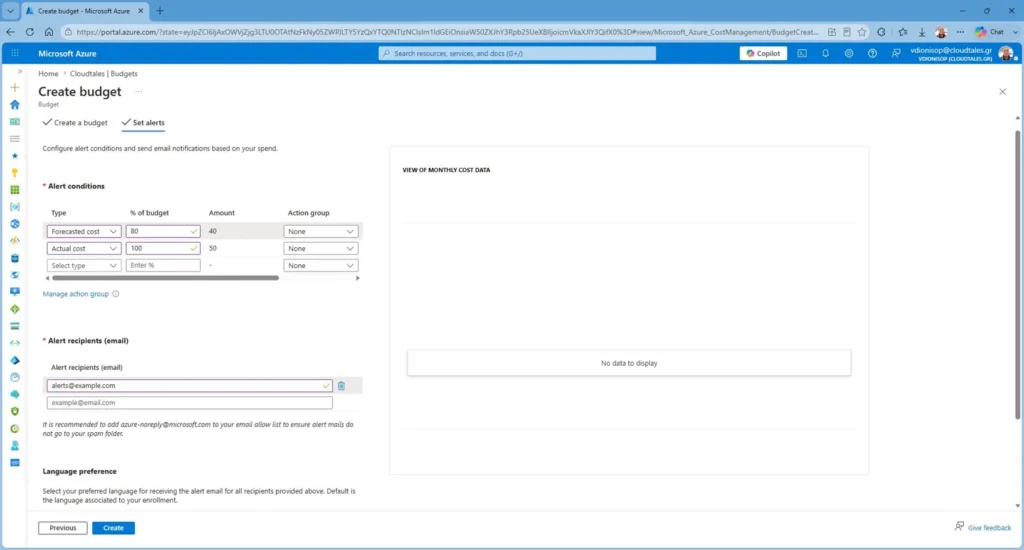
One more detail that bites people: each alert needs recipients, and the mandatory email field defaults to whoever creates the budget. If that person leaves the team, the alert goes nowhere. Send budget alerts to a distribution list or, better, to an action group, never to a single human inbox.
The enforcement gap
So the budget detects and notifies. Where does enforcement come from? The bridge is the action group. An action group is the response handler attached to an alert threshold, and it can do far more than send an SMS or an email. It can call a webhook, trigger an Azure Function, or start a Logic App. That webhook is the seam where detection turns into action.
Here is the constraint nobody mentions until it breaks their design: action groups attach only to subscription and resource group budgets. A management group budget supports email recipients and nothing else. Wire an action group to it through the API and you get an error back. That single limitation reshapes the whole pattern. You do not enforce at the management group level. You monitor there, sending the rollup to Finance or the platform team, and you put the enforcement budgets one or two levels down, on the subscriptions and resource groups where action groups actually fire. Separating the monitoring scope from the enforcement scope is the design decision, not an afterthought.
Be honest about what this buys you, though. Even with automation wired up, you are reacting after spend has occurred, not preventing it before the fact. The lag in budget evaluation means a runaway resource can accumulate cost for hours before the threshold even registers. Automation narrows the blast radius. It does not give you a hard cap. Anyone who tells you they have built a true spending limit on top of budgets is overselling it.
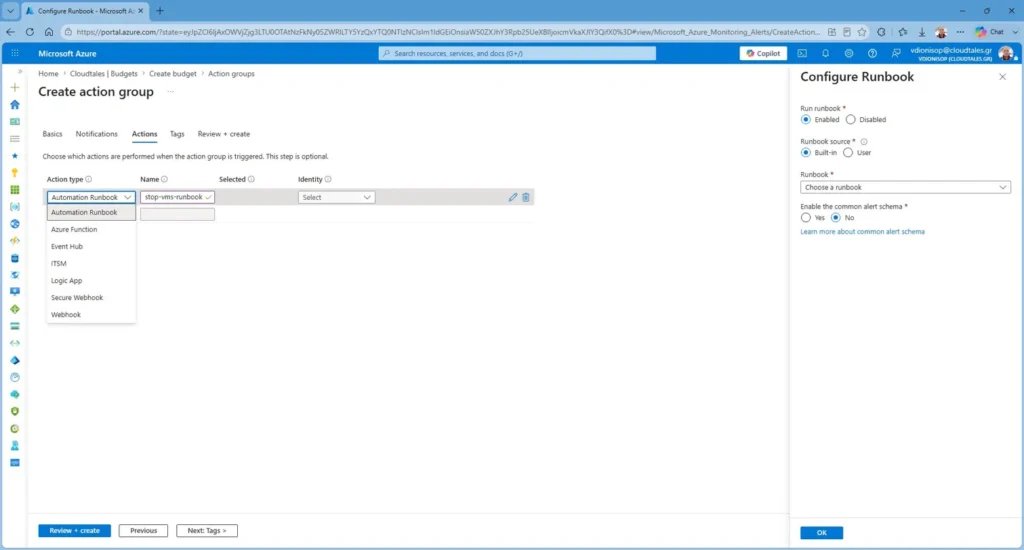
Closing the gap: action groups and automation
MMicrosoft documents a canonical pattern for this, and it is worth following rather than inventing your own. The flow looks like this:
- The budget threshold (say, an 80% forecasted alert) triggers an action group.
- The action group calls a Logic App.
- The Logic App invokes an Azure Automation Runbook through a webhook, passing the scope as a parameter.
- The runbook stops the target virtual machines, or disables the offending resource.
A common real-world variant ring-fences a single expensive service. For an Azure OpenAI workload, do not pretend the budget itself can stop token consumption. Place the budget at the resource group boundary, then wire the alert to a controlled kill switch designed around how the service is exposed: zero out or delete the model deployment, block the endpoint at the APIM route or through network controls, or revoke the calling identity. The critical design rule here, and the one people skip, is the recovery path. Automating the stop is easy. You must deliberately keep the re-enable manual, gated behind a review, so a transient cost spike cannot lock out a production workload without a human approving it. Tie that re-enable action to a privileged role and, ideally, to Privileged Identity Management so the recovery itself is auditable.
This pattern fits non-critical and dev/test workloads cleanly. Be much more cautious about pointing automated shutdowns at production. The cure for an unexpected bill should never be a self-inflicted outage. For production, I default to aggressive forecasted alerts plus a documented human runbook, and I reserve automated remediation for environments where stopping a VM is annoying rather than catastrophic.
Where Azure budget alerts end and Azure Policy begins
If budgets are reactive, what gives you something preventive? Azure Policy. The two operate on different timelines and you need both. A budget watches money after the fact. A policy refuses the action before it ever incurs cost. Deny a policy on expensive SKUs, restrict which regions a subscription can deploy into, or block resource types that have no business in a given landing zone, and you remove entire classes of bill shock at the door rather than chasing them through alerts.
The three layers of Azure cost governance
Prevent — Azure Policy refuses the wrong deployment before it costs anything.
Detect — Azure budget alerts catch the spending that policy could not foresee.
React — Action groups and runbooks remediate the worst cases automatically.Treat any one of these as your whole cost strategy and you have a gap.
If you are building this out across a multi-subscription estate, the same layering logic underpins a well-structured Azure landing zone, and it pairs naturally with the network governance choices in a hub-and-spoke topology.
A decision checklist before you create a budget
BeforBefore you click Add, answer these. They take five minutes and save you from the false-security trap.
- Scope: management group for a Finance-facing monitoring rollup (email only), subscription or resource group for anything you intend to automate, since action groups attach only at those two scopes.
- Thresholds: at minimum, a forecasted alert at 80% and an actual alert at 100%. Add an actual 80% if the workload is volatile.
- Recipients: an action group or distribution list, never a single person’s inbox.
- Response: notification only, or notification plus automated remediation? If automated, where is the gated re-enable path?
- Prevention: which Azure Policy assignments remove the most likely cost spikes before they happen?
- Expiry: long-lived guardrail or short project budget you will actually clean up?
A budget is worth setting up. Just set it up knowing exactly what it is: an alarm, not a circuit breaker. The teams that stay out of trouble are the ones who wire the alarm to something that can actually respond, and who put a real guardrail in front of it. The number on the screen was never the control. What you build around it is.
If you are building this pattern in your own tenant, I would be interested to hear what you automated, what you deliberately left manual, and what broke first.
Putting cost governance into practice in your own tenant? Tell me how you have wired budget alerts to automation, and what broke the first time. Subscribe on YouTube for the walkthrough, and explore the tooling at cld2day.com.