
Putting Azure Cloud Shell in a private virtual network takes two templates and half an hour. Taking it out can take a day, and in the wrong order it leaves a VNet in Failed state that refuses every delete and every update.
I hit this while answering a Microsoft Q&A question from someone whose Cloud Shell VNet could not be deleted. Instead of guessing, I built the setup in a clean subscription, broke it on purpose, and logged every step.
In short: when Cloud Shell runs in your VNet, Azure Container Instances puts a service association link called acisal on the container subnet. It points to a container group in a Microsoft-owned subscription that you cannot see or delete. Closing the session and resetting Cloud Shell does not release it at once. In the lab it was released within about 27 hours, and after that the subnet and the resource group deleted cleanly.
Why
Cloud Shell in your VNet reaches what the normal Cloud Shell cannot: VMs without public IPs, storage and databases behind private endpoints, anything that only answers on a private address. You get it without a jump box.
What the documentation leaves out is the way back. The subnet keeps a link to a resource you do not own, and until Cloud Shell lets go of it, nothing on your side can remove the subnet. Knowing that before you start saves a stuck VNet and a support ticket.
Before you start
- Owner on a subscription, and the Azure CLI signed in to it (GOV-02).
- An empty VNet in the same region and resource group as everything else. The templates create the subnets.
- The helper scripts are in cloudtales-gr/azure-recipes:
prepare.ps1,sal.ps1,remove-sal.ps1andcleanup.ps1. The deploy itself is Microsoft’s two quickstart templates, in the portal.
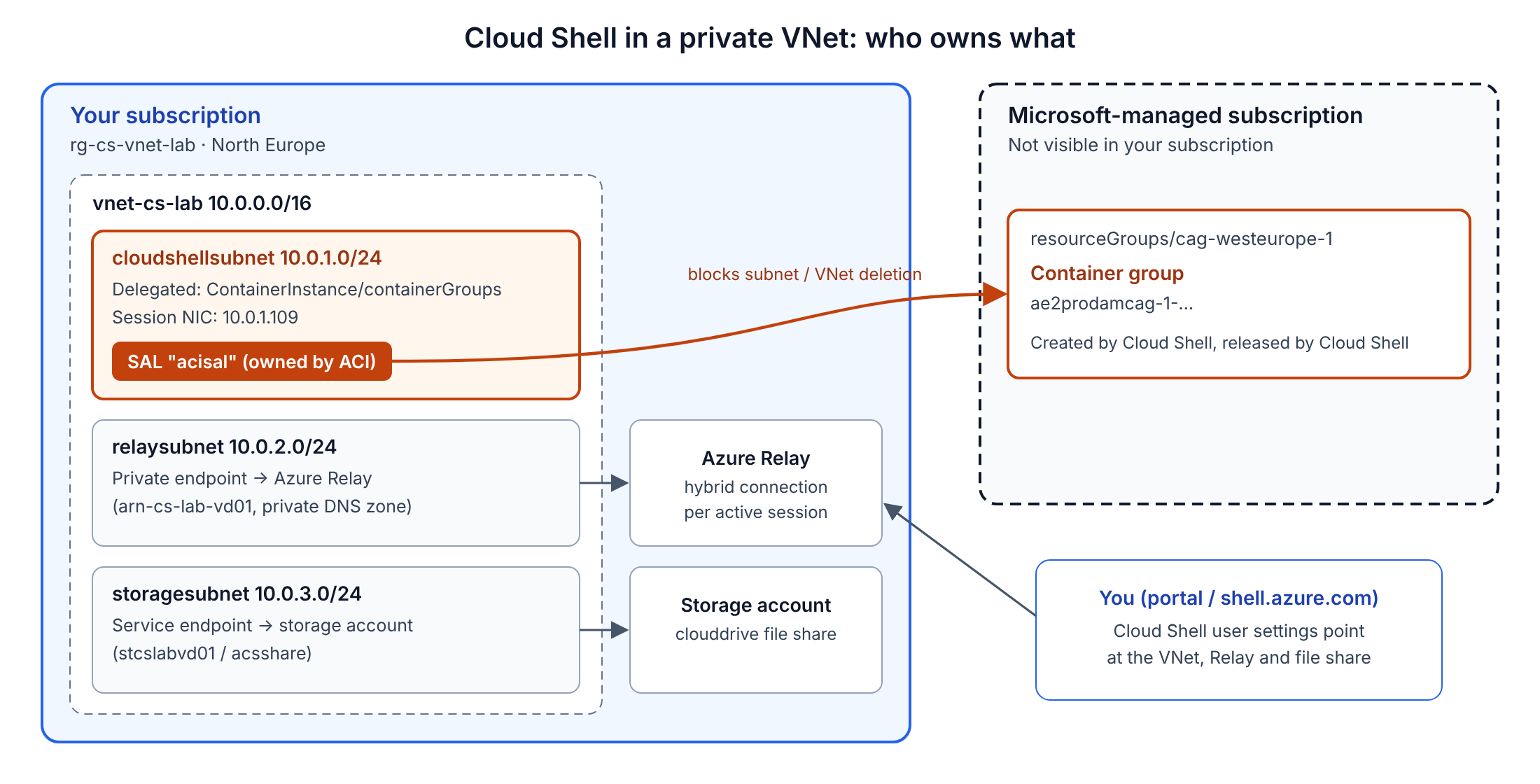
What ends up where:
| In your subscription | What it does |
|---|---|
cloudshellsubnet 10.0.1.0/24 | Delegated to Microsoft.ContainerInstance/containerGroups. The Cloud Shell container’s NIC lands here. |
relaysubnet 10.0.2.0/24 | Private endpoint to Azure Relay. Your browser reaches the shell through a Relay hybrid connection. |
storagesubnet 10.0.3.0/24 | Reaches the storage account with the clouddrive file share. |
| Network profile, NSG, private DNS zone, role assignments | Plumbing that the templates create. |
The container group that actually runs your shell is in a Microsoft-managed subscription. The only trace of it on your side is the acisal link on the subnet.
Steps
Prepare the subscription
Register the three resource providers, create the resource group and an empty VNet, and find the object ID of the Azure Container Instance service principal, which the network template asks for:
az provider register -n Microsoft.CloudShell
az provider register -n Microsoft.ContainerInstance
az provider register -n Microsoft.Relay

az group create -n rg-cs-vnet-lab -l northeurope
az network vnet create -g rg-cs-vnet-lab -n vnet-cs-lab -l northeurope --address-prefixes 10.0.0.0/16

az ad sp list --display-name "Azure Container Instance" --query "[].id" -o tsv
pwsh ./prepare.ps1 does the same and prints every value the template form needs.
Region: my first attempt, in West Europe, failed with RequestDisallowedByAzure: The selected region is currently not accepting new customers. North Europe worked. Check the supported regions for Cloud Shell in a virtual network before you pick one.
Deploy the network template
Open the Azure Cloud Shell - VNet quickstart template (cloud-shell-vnet), or go to Deploy a custom template > Quickstart template and pick it there.
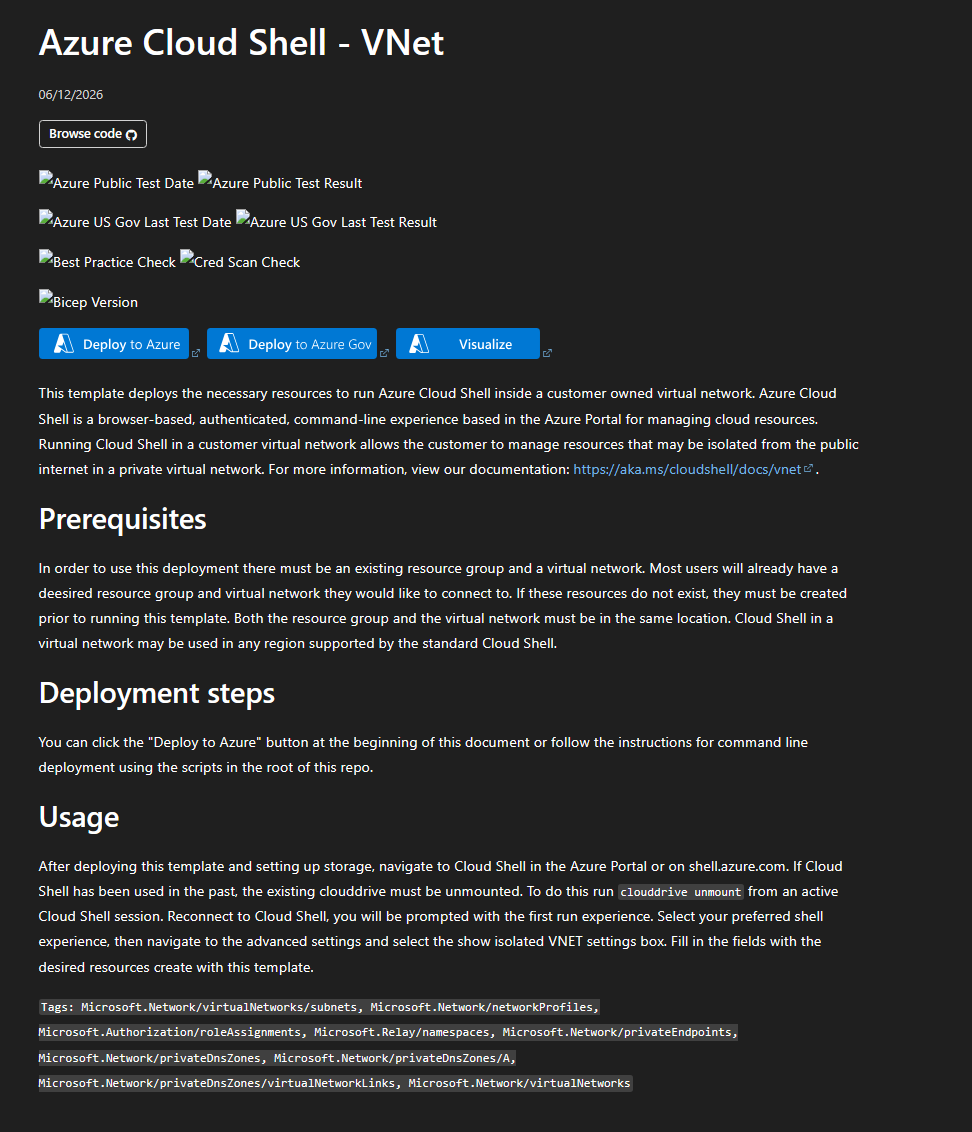
Fill in the existing VNet, a globally unique Relay namespace name, an NSG name, the ACI object ID, and the three subnet prefixes. The portal form has no defaults for the prefixes.
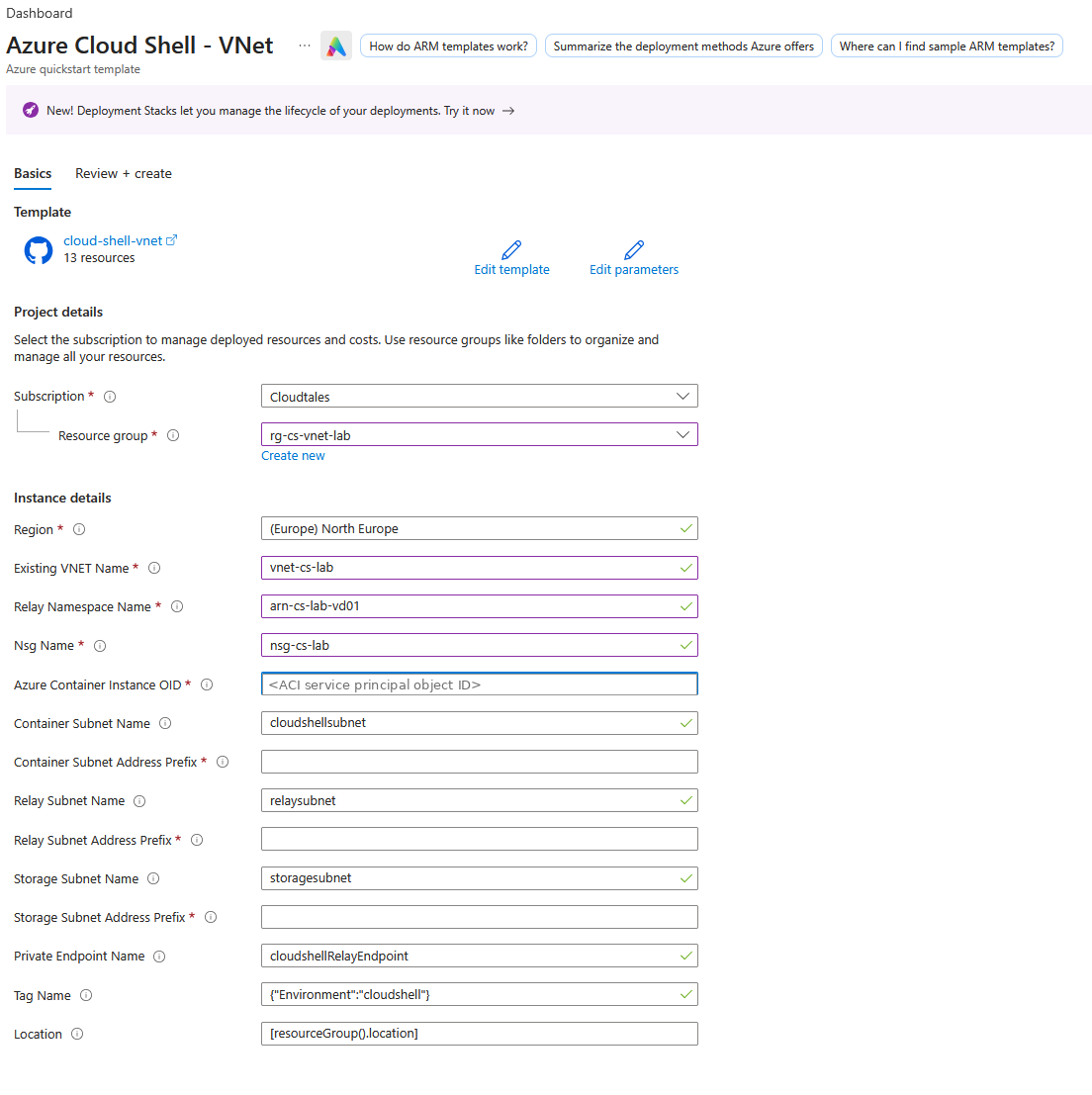
Thirteen resources later:
Finding: the template still creates aci-networkProfile-northeurope, although the Cloud Shell documentation says ACI network profiles are deprecated. As the next steps show, the Cloud Shell setup no longer asks for a network profile. It asks for the subnet.
If Deploy to Azure fails with state_mismatch, your browser is signed in to several tenants. Use a private window with only the target account.
Deploy the storage template
Azure Cloud Shell - VNet storage (cloud-shell-vnet-storage): the same resource group and VNet, storagesubnet, cloudshellsubnet, and a new storage account name.
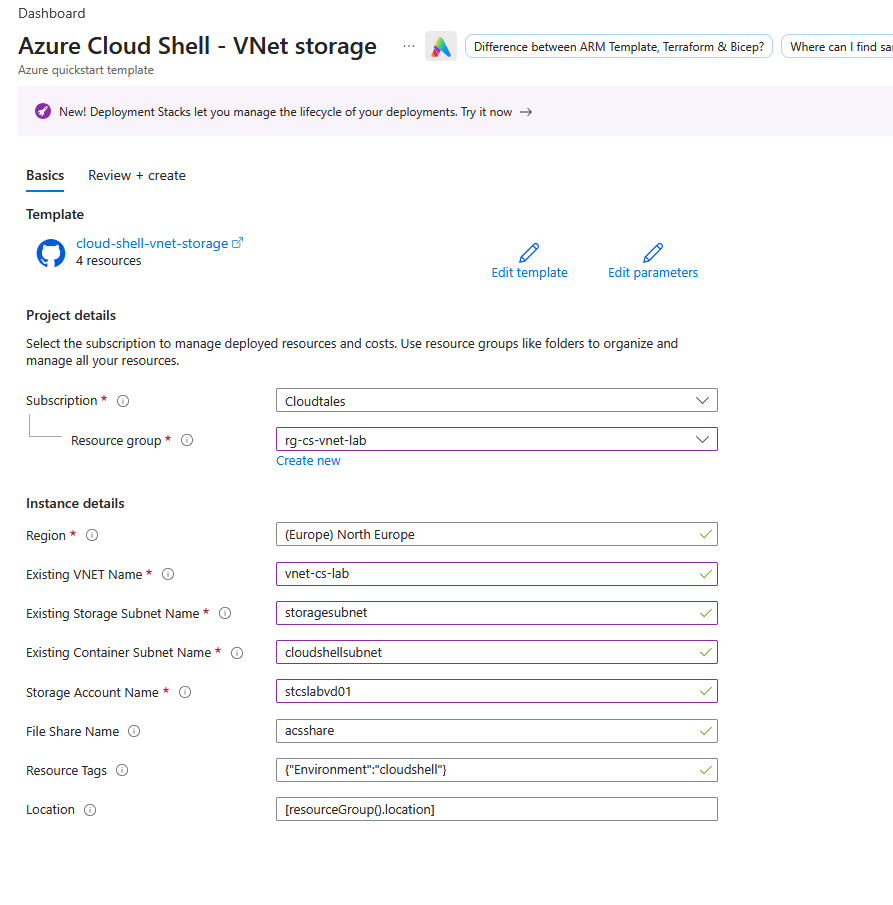
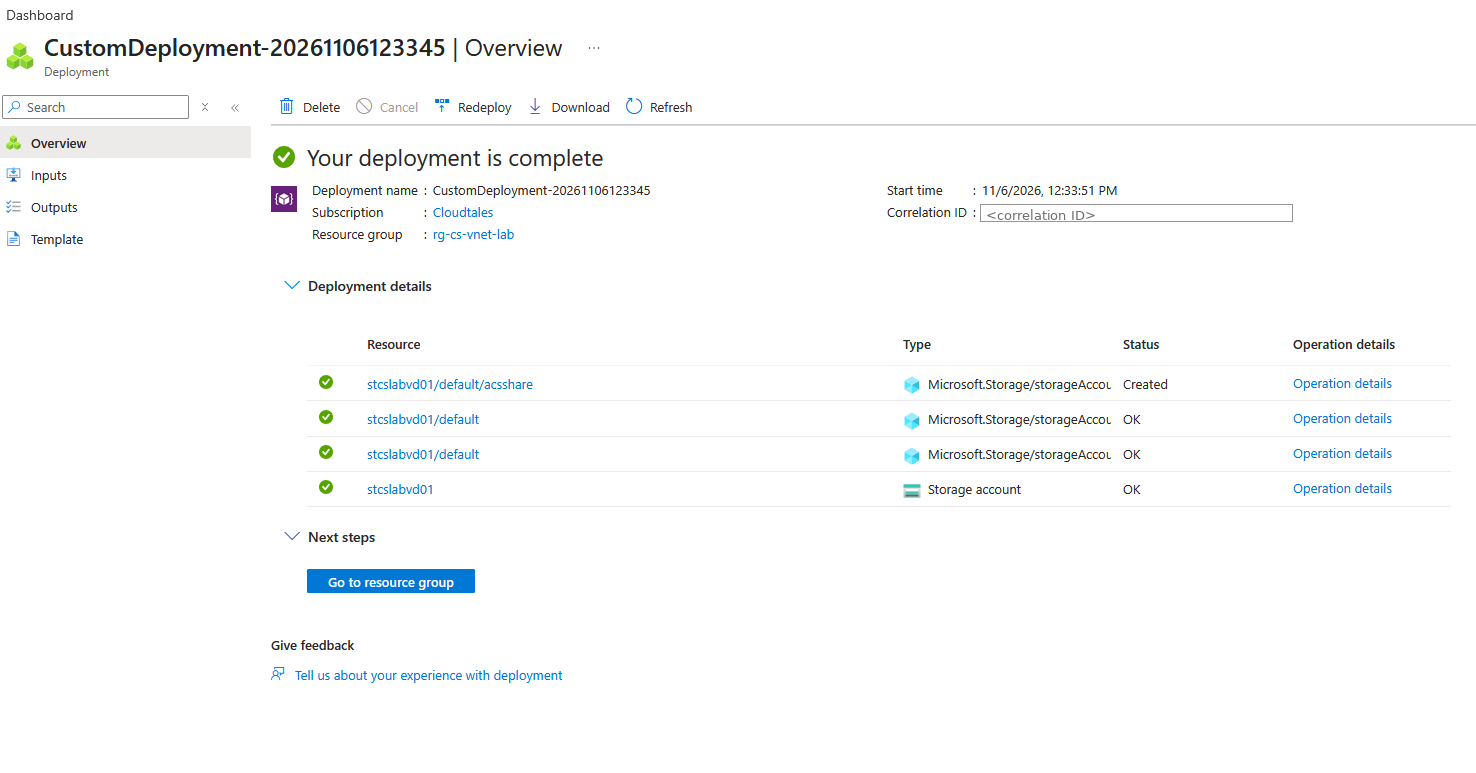
Before anyone connects, the container subnet is delegated and has no link:
az network vnet subnet list -g rg-cs-vnet-lab --vnet-name vnet-cs-lab `
  --query "[].{name:name, state:provisioningState, delegation:delegations[0].serviceName, sal:serviceAssociationLinks[].name}" -o json
{ "name": "cloudshellsubnet", "state": "Succeeded",
  "delegation": "Microsoft.ContainerInstance/containerGroups", "sal": null }
Connect Cloud Shell to the VNet
If you have used Cloud Shell before, it reopens with your old settings. A message that the session is ephemeral means you are not in the VNet. Go to Settings > Reset user settings, reopen Cloud Shell, choose Mount storage account and tick Use an existing private virtual network.
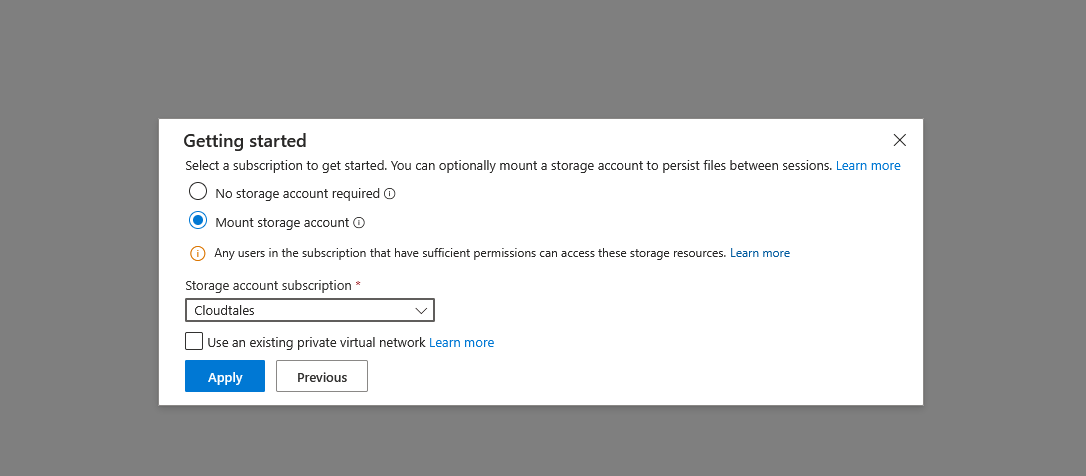
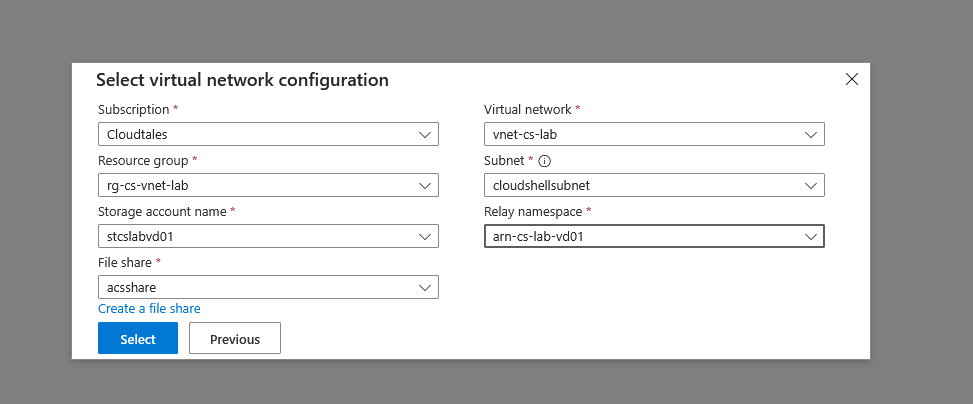
Pick the subscription, resource group, VNet, cloudshellsubnet, the storage account and file share, and the Relay namespace:

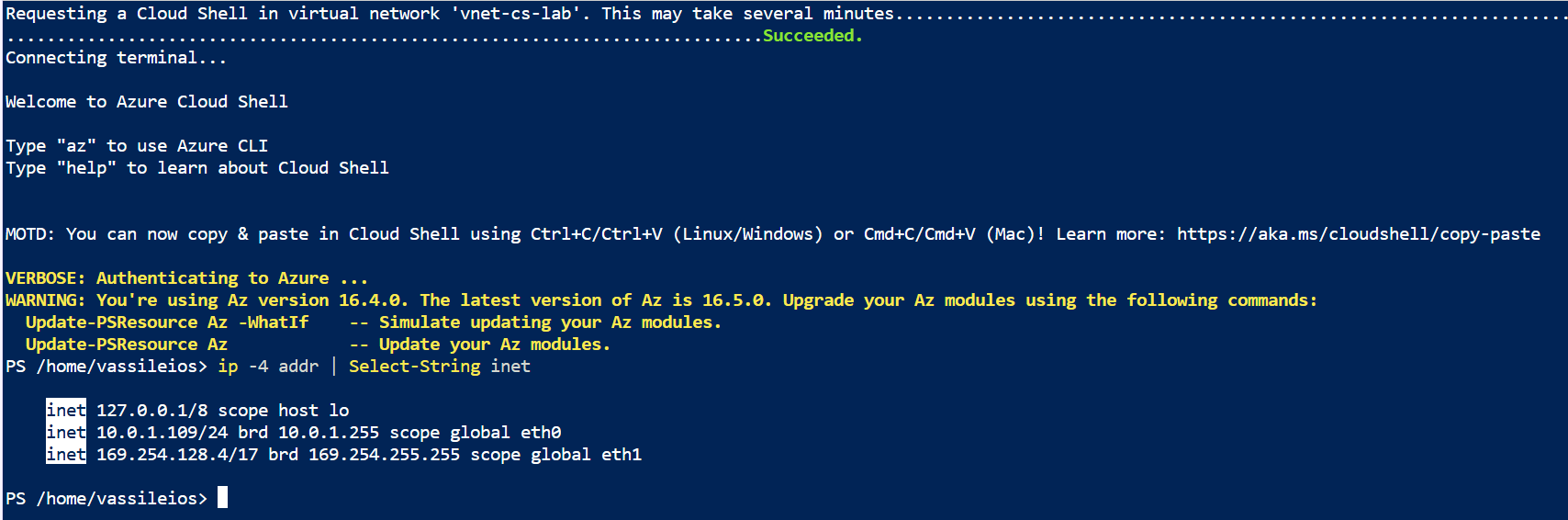
The shell has an address in your subnet, 10.0.1.109:
And the subnet now has the link:
az rest --method get --url "https://management.azure.com/subscriptions/<sub>/resourceGroups/rg-cs-vnet-lab/providers/Microsoft.Network/virtualNetworks/vnet-cs-lab/subnets/cloudshellsubnet/serviceAssociationLinks/acisal?api-version=2024-05-01"
{
  "name": "acisal",
  "properties": {
    "allowDelete": true,
    "linkedResourceType": "Microsoft.ContainerInstance/containerGroups",
    "locations": [ "northeurope" ],
    "provisioningState": "Succeeded"
  }
}
The link belongs to Azure Container Instances, not to the network provider, which is why no az network command can remove it. pwsh ./sal.ps1 shows the same thing in one line.
Close the session, and watch the link stay
Type exit, close the pane, and check every five minutes (pwsh ./sal.ps1 -WatchMinutes 5):
12:44:46  acisal present: True
12:49:49  acisal present: True
...
13:20:06  acisal present: True
Still there 35 minutes after the session ended. Removing it through ACI, which owns it, is refused:
az rest --method delete --url "https://management.azure.com/subscriptions/<sub>/resourceGroups/rg-cs-vnet-lab/providers/Microsoft.Network/virtualNetworks/vnet-cs-lab/subnets/cloudshellsubnet/providers/Microsoft.ContainerInstance/serviceAssociationLinks/default?api-version=2018-10-01"
Conflict  SubnetInUse
The subnet '.../SUBNETS/CLOUDSHELLSUBNET' is still in use. Please delete all container groups
in the subnet and try again. One sample container group in use is
'/subscriptions/<Microsoft subscription>/resourceGroups/cag-westeurope-1/providers/
 Microsoft.ContainerInstance/containerGroups/ae2prodamcag-1-...'
Finding: the container group is in a Microsoft subscription, in a resource group called cag-westeurope-1, although the VNet is in North Europe. The name is internal to Cloud Shell; do not read a region into it. This is exactly the error from the Q&A question.
Reset Cloud Shell, then wait
Cloud Shell > Settings > Reset user settings (13:40), then close the setup dialog without choosing a VNet again.
13:41:11  after-reset  acisal present: True
...
14:06:26  after-reset  acisal present: True
The delete at 14:14 still returned SubnetInUse with the same container group. So I left everything in place overnight: VNet, Relay, storage, no sessions.
Day 2, 16:37: the same delete returned nothing, which means success (pwsh ./remove-sal.ps1 prints released). The subnet:
{ "sal": null, "state": "Succeeded" }
Delete the resource group
Only now:
az group delete -n rg-cs-vnet-lab --yes
az group exists -n rg-cs-vnet-lab   # false
pwsh ./cleanup.ps1 does the same, and refuses while acisal is still on the subnet.
Verify
The whole run, in one table:
| When | Action | acisal |
|---|---|---|
| Day 1, 12:44 | exit Cloud Shell | present |
| Day 1, 13:40 | Reset user settings | present |
| Day 1, 14:14 | ACI link delete: SubnetInUse | present |
| Day 2, 16:37 | ACI link delete: success | gone |
| Day 2, 16:42 | az group delete: success | gone |
The Microsoft-side container group was released somewhere between half an hour and 27 hours after the reset. I did not test whether it is released without the reset, so I would still do it.
Clean up
In this order, and never the last step first:
- Every user who connected Cloud Shell to the VNet: Cloud Shell > Reset user settings.
- No Cloud Shell sessions open on the VNet.
pwsh ./remove-sal.ps1reportsreleased, andserviceAssociationLinkson the container subnet is empty.- Delete the VNet or the resource group.
The cost while you wait is small: the private endpoint, the storage account and the private DNS zone, well under €1 a day.
Troubleshooting
- Already stuck: VNet and subnets in
Failed,SubnetInUsepointing to acag-…container group in another subscription, and subnet updates failing withSubnetCannotGetUpdatedWhenParentVnetDeletionWasAttemptedEarlier. Reset Cloud Shell user settings for every user who used that VNet. Retry the ACI link delete once a day. When it succeeds, delete the VNet again; that clears theFailedstate. A VNet and an NSG cost nothing, so there is no cost pressure while you wait. - Still
SubnetInUseafter about 48 hours. The container group is not being cleaned up, and only Microsoft can remove it. On a Basic support plan, ask a Microsoft moderator on Q&A for one-time free technical support, and include the subnet resource ID, the fullSubnetInUsemessage and the correlation ID. RequestDisallowedByAzure: The selected region is currently not accepting new customers. A capacity limit for your subscription in that region, not a Cloud Shell problem. Use another supported region.state_mismatchon Deploy to Azure. Several tenants signed in. Use a private window with one account.- The session says it is ephemeral. Cloud Shell kept your old settings. Reset user settings and set up the VNet again.
Going further
NET-03 puts a storage account behind a private endpoint, the kind of resource this Cloud Shell can reach and the normal one cannot. NET-04 does the same job for VMs with Azure Bastion. Microsoft’s own pages: Deploy Cloud Shell in a virtual network with quickstart templates and Cloud Shell in a virtual network.
Comments
Comments are stored in GitHub Discussions. Sign in with GitHub to comment or react.